Stage
Linux sweep
Windows sweep (older)
Perimeterwhat a stranger sees
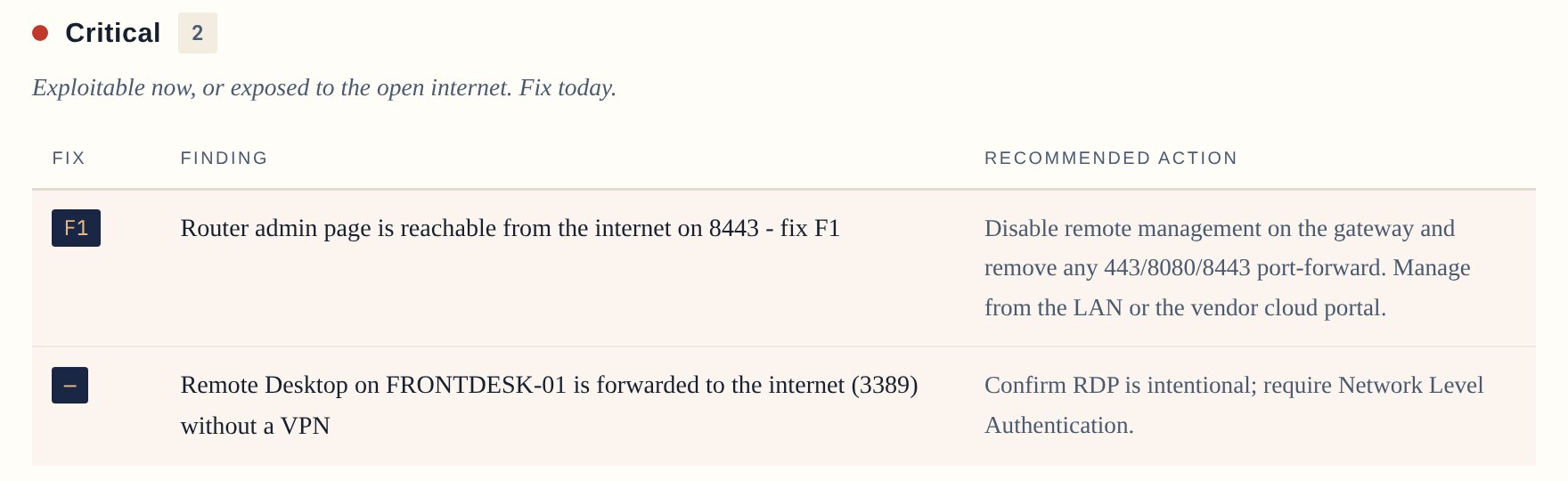
Linux sweepPublic address, a public exposure-database lookup, a local probe of open ports (marked indicative, not proof).
Windows sweepSame network check.
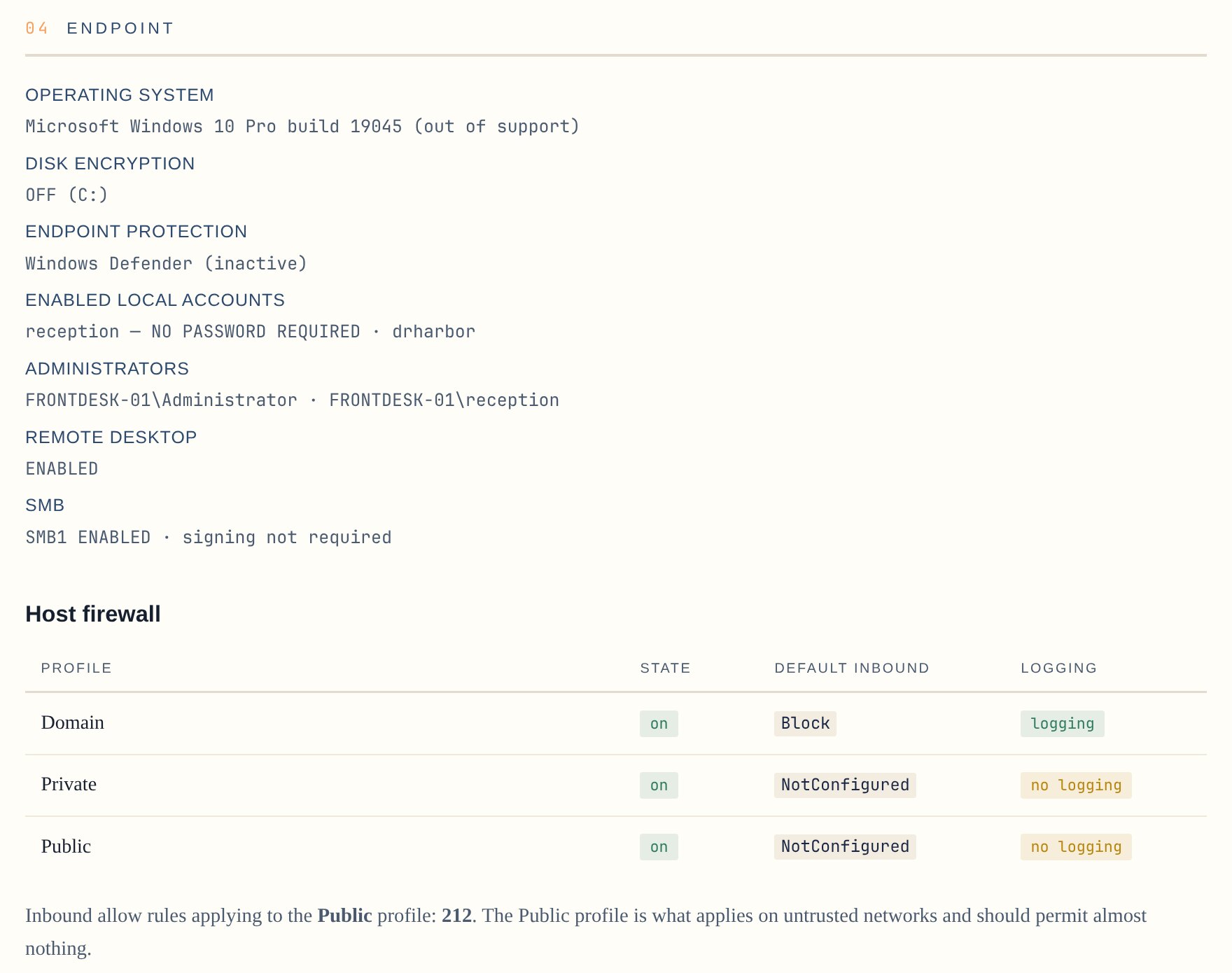
This machinewhere the sweep runs
Linux sweepListening ports, firewall service state, disk encryption. No root, so anything it can't read is marked unverified.
Windows sweepFirewall profiles, BitLocker, antivirus, local accounts and admins, remote desktop, SMB1 and signing, listening ports.
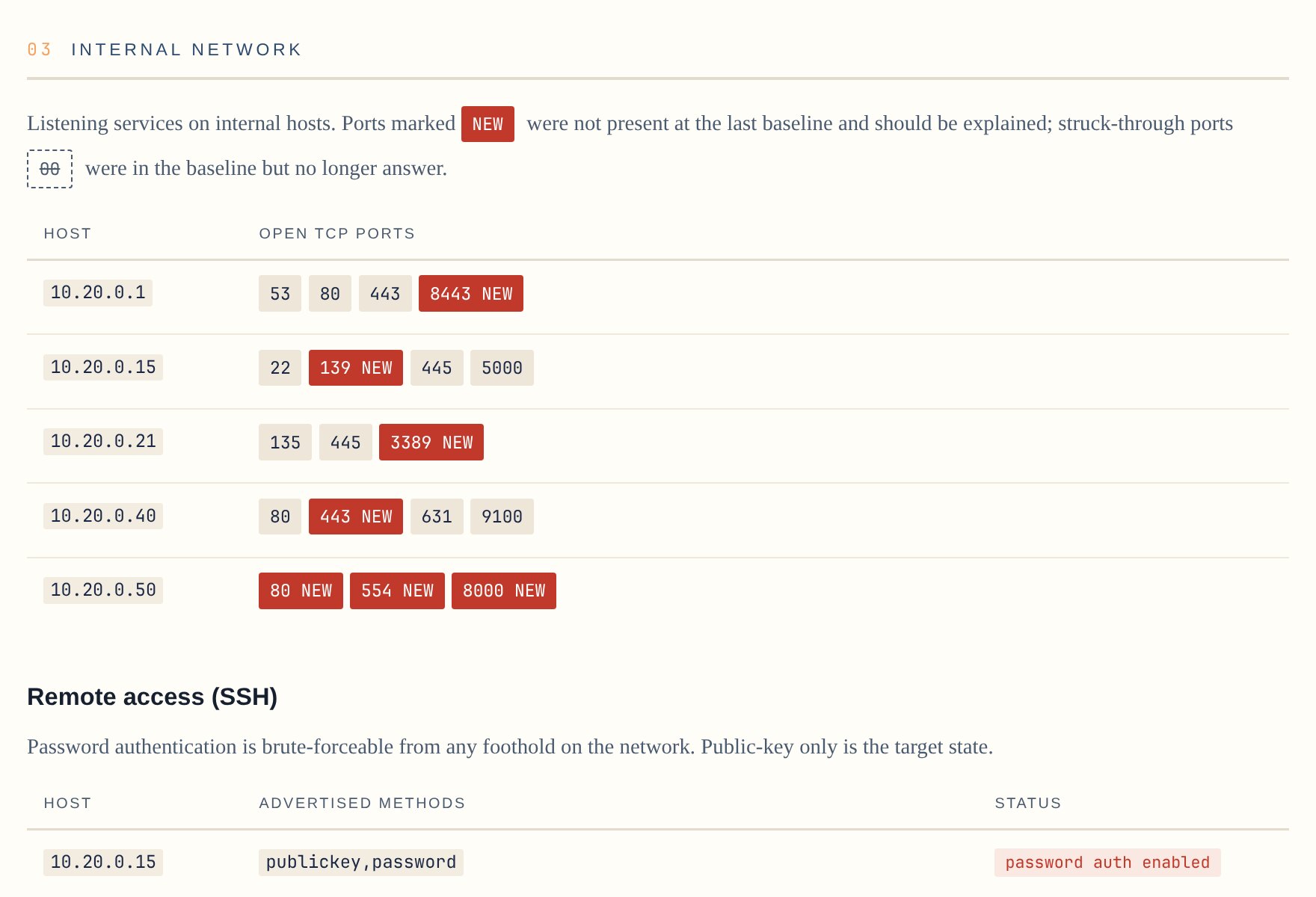
Local networkevery known host
Linux sweepPort scan against a stored baseline (new ports flagged NEW). SSH sign-in methods listed without logging in. Services checked for answering without a password (read-only requests).
Windows sweepSame network checks.
Public identitydomains and DNS
Linux sweepDomain transfer lock and registration privacy. Public DNS checked for internal addresses leaking out.
Windows sweepSame check.
The Linux sweep is a port of the Windows sweep's network checks. The Windows endpoint checks stay in the PowerShell version for now.
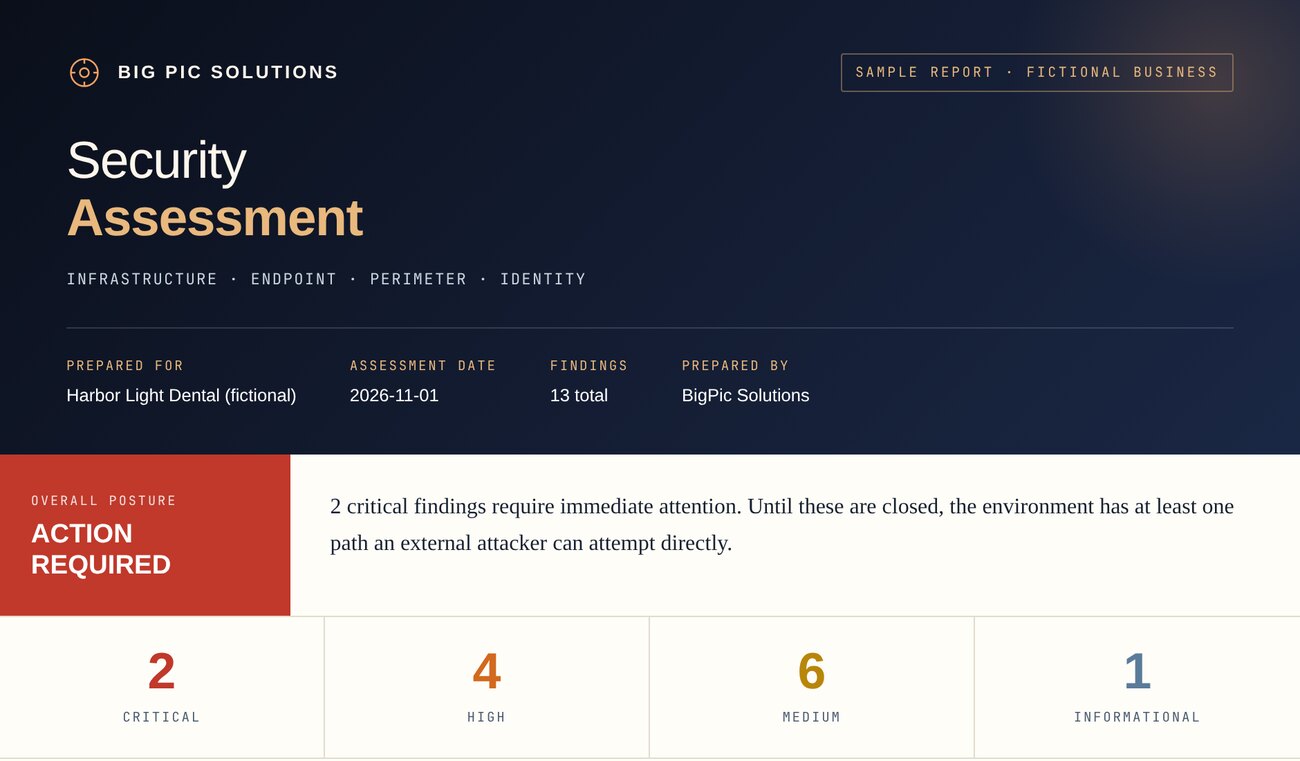
ACTION REQUIREDany critical finding
NEEDS WORKno critical, any high
FAIRonly medium or lower
GOODno findings against the baseline
 Daryll Gomas